
Three Months to Book Cover
AI Did NOT Make This Easy

I’m bad at art.
That’s not an exaggeration. My four year old daughter is rapidly approaching my skill level, and that’s okay. Most of the time.
A few months ago I finished a manuscript dedicated to my wife: Dinosaur Road. I wanted to see this particular story fly, but self-publishing has one wall that towers over the rest for someone who can’t draw: the cover.
In 2026 ChatGPT and Gemini both do real image generation. I have a laptop, a terminal, and a fleet of tools that are supposed to make this easy.
Right?
First Missteps with Claude
Despite a cramped usage ceiling, Claude is still my tool of choice. I started by uploading my manuscript and asking for some advice on cover design, but I quickly realized that this wasn’t going to work.
Maybe part of the reason I get along with Claude is that we’re both bad at art. No matter how much it tries to sell me on Lissajous Curves and how beautiful they are I realize that its preference is likely due to the fact that it has to generate everything programmatically. This is because Anthropic hasn’t added imaging capabilities to its ecosystem.
The initial results from Claude:
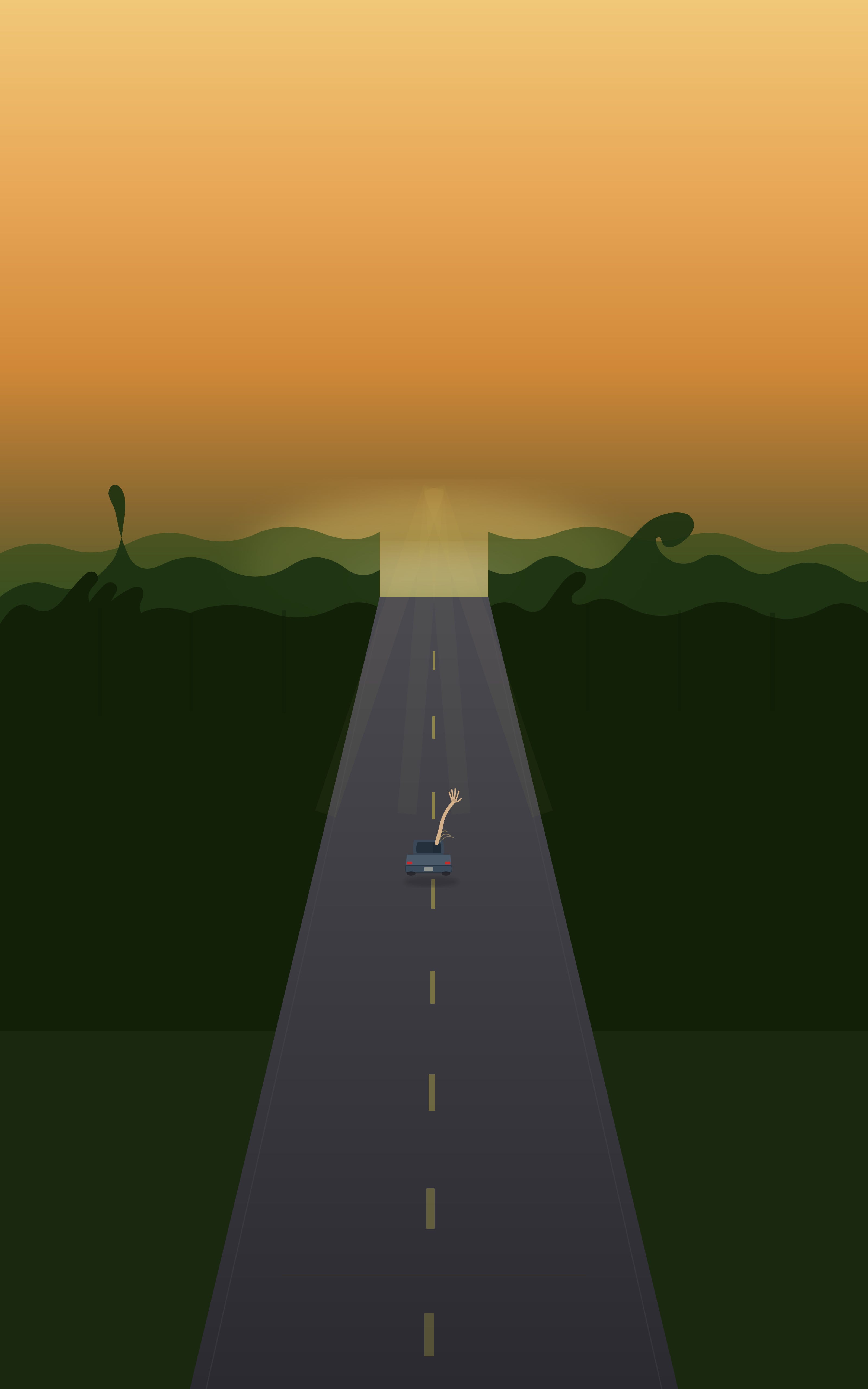
This wasn't usable, but it also wasn't a wasted effort. It yielded a rough composition to hand to models that actually do images: ChatGPT and Gemini.
The first 80%
I turned to the other members of our group project: ChatGPT and Gemini. I fed in the design from Claude as well as the manuscript and asked for a cover based on the original image. And you know what? It looked good!
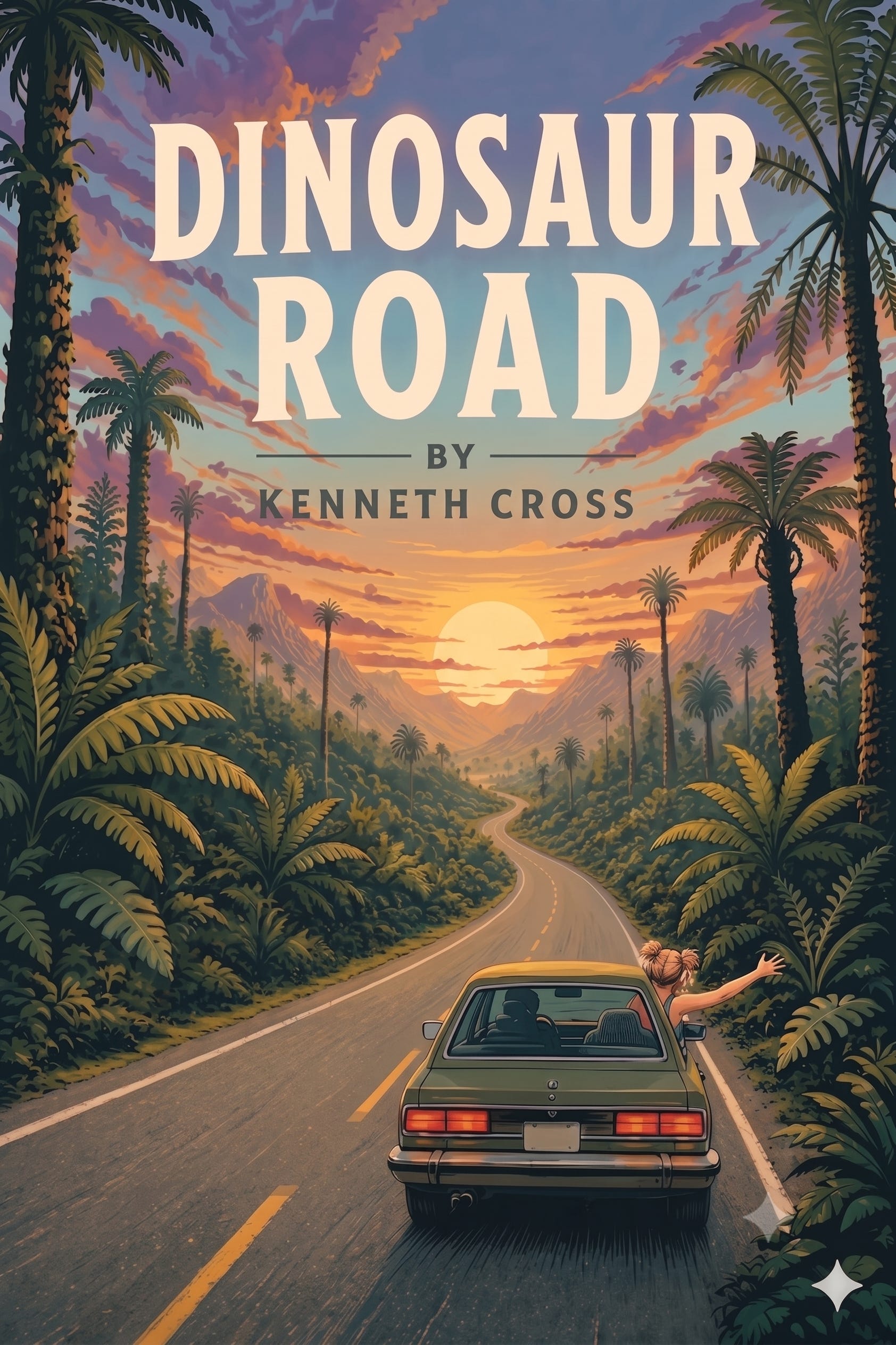
But not good enough for a professional cover. Now it was time for the last 20%, which I assumed would be the easy part.
Crude Attempts at Inpainting
I went to Gemini's annotation tool, circled the problem areas in red, and prompted: "Fix these areas. Edit only what's marked in red."
It sort of listened. Models will follow an instruction’s spirit more reliably than its letter, and “only what’s marked in red” turned out to mean “mostly what’s marked in red, with some improvisation.” The results were clunky and (worse) unpredictable. The same prompt would produce different kinds of wrong.


My lesson here: if you need the model to respect a hard edge then you need precision. A highlighted region and a polite request just aren't enough.
So I had three options:
Burn through hundreds of re-rolls hoping for a lucky one
Pay for a dedicated inpainting service
Build my own pipeline
I picked the third option, mostly out of stubbornness.
Resurrecting Automatic1111
I have a fossilized version of Automatic1111 on my laptop from the prehistoric year of 2024. Back then it worked pretty well for playing around with image generation using custom models.
But a lot has changed since 2024.
This particular attempt never got off the ground because of one thing: VRAM.
SDXL didn’t exist back when I ran this last, and my casual 8GB graphics card is not up to the task of serious image generation.
Moving to RunPod
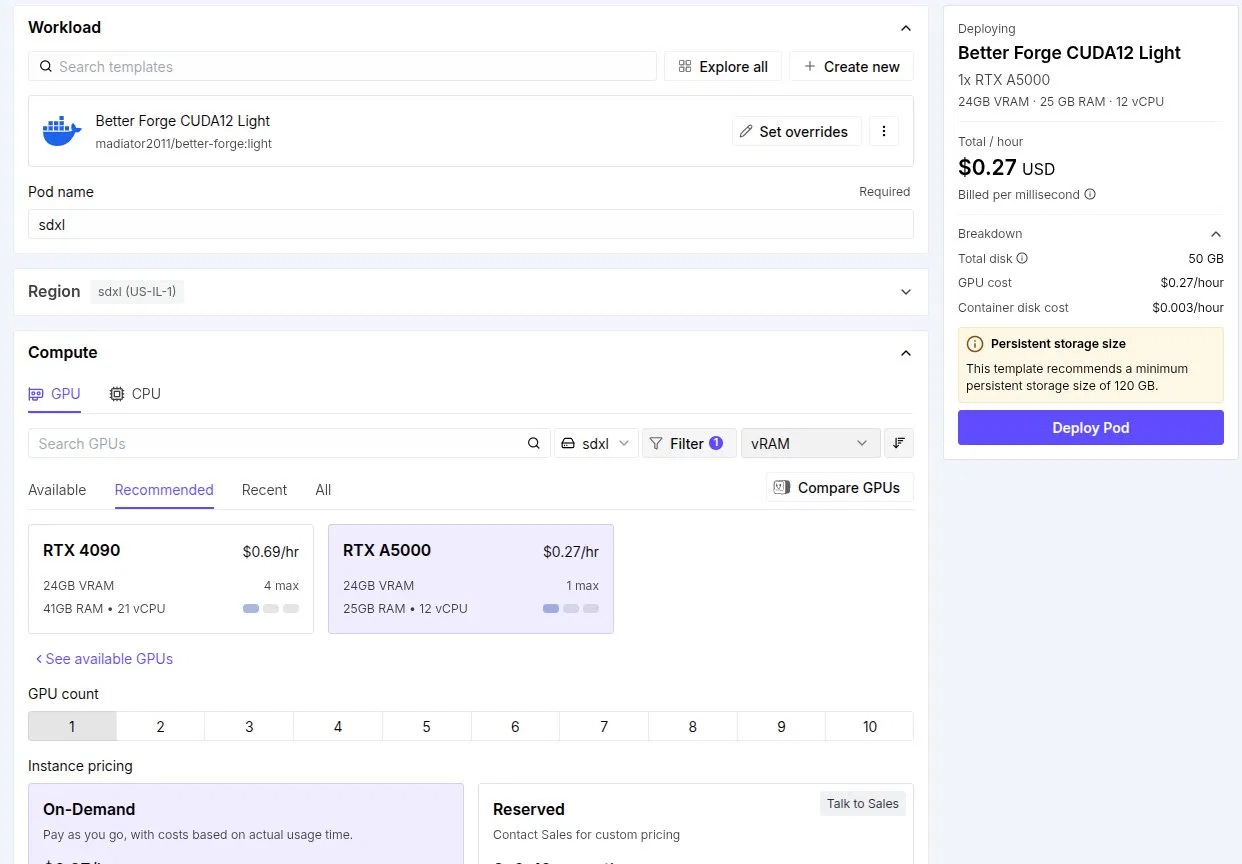
Pivoting, I decided to rent a GPU by the hour and run a container with Automatic 1111’s successor, Forge. If you decide to go this route for image generation there are three mistakes I made (so you don't have to):
Container images matter, and it's easy to grab an unmaintained one or get lost in a sea of community forks of the "real" version.
The Solution: run Better Forge CUDA12 Light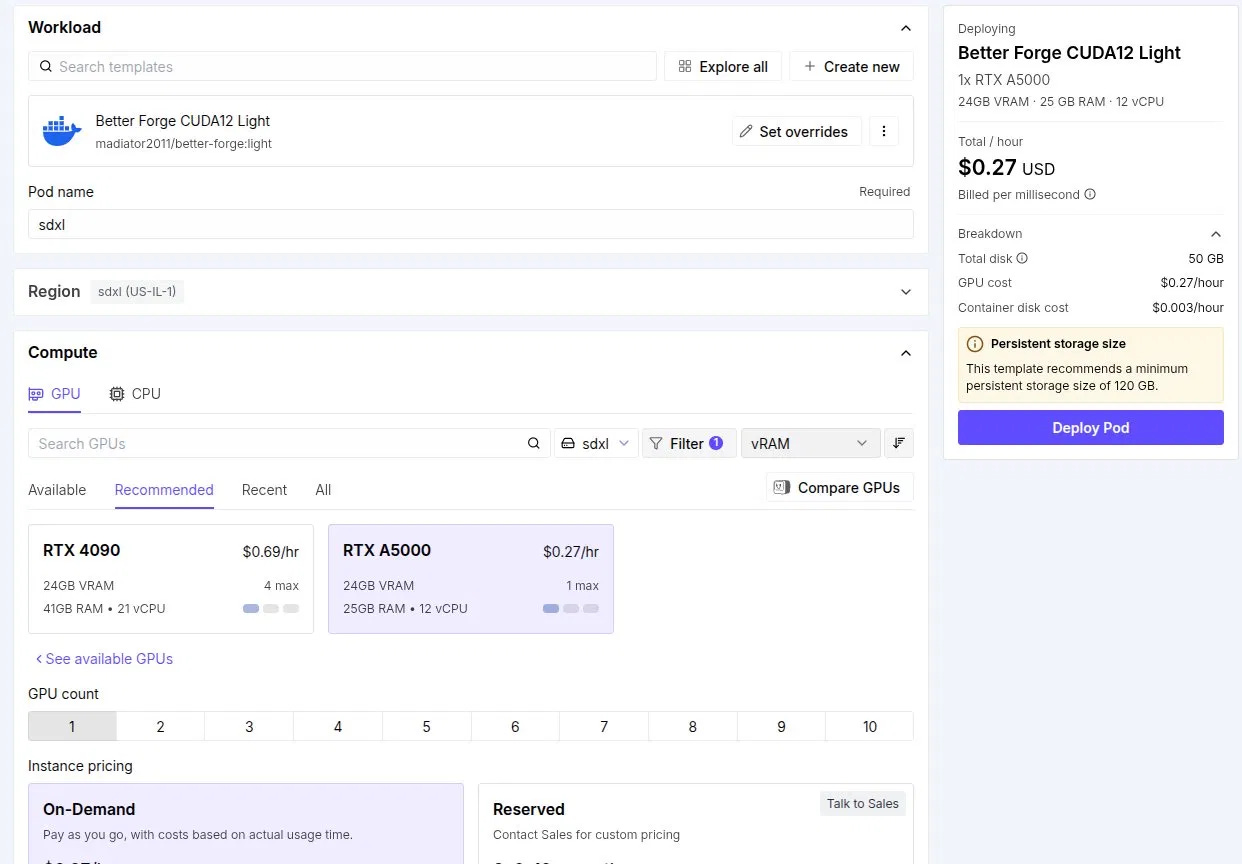
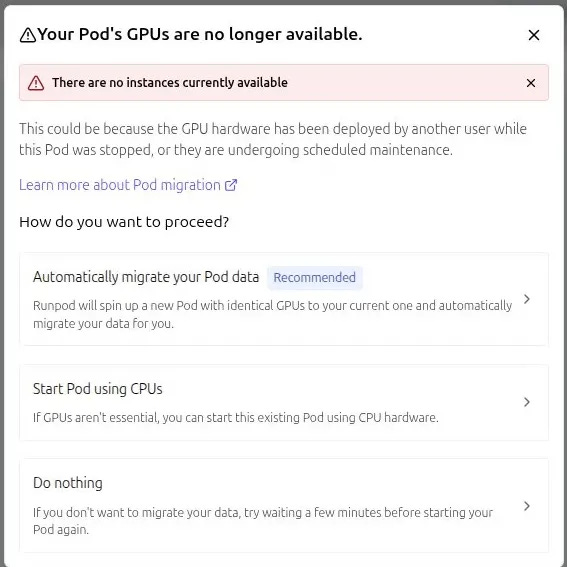
When you stop a pod your files don't necessarily survive.
The Solution: use a persistent storage volume rather than the pod's temporary disk.RunPod only stocks a limited number of each GPU type per region, and popular cards sell out.
The Solution: either wait or pick a different (probably more expensive) card.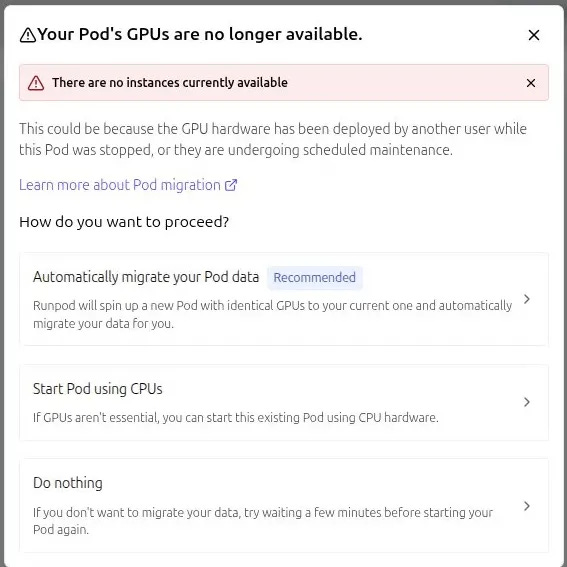
The Style Inconsistency
Forge was finally running with a model loaded from Civitai after several days of fighting, but there was still plenty of turmoil ahead. In my first inpaint attempt, something immediately went wrong.
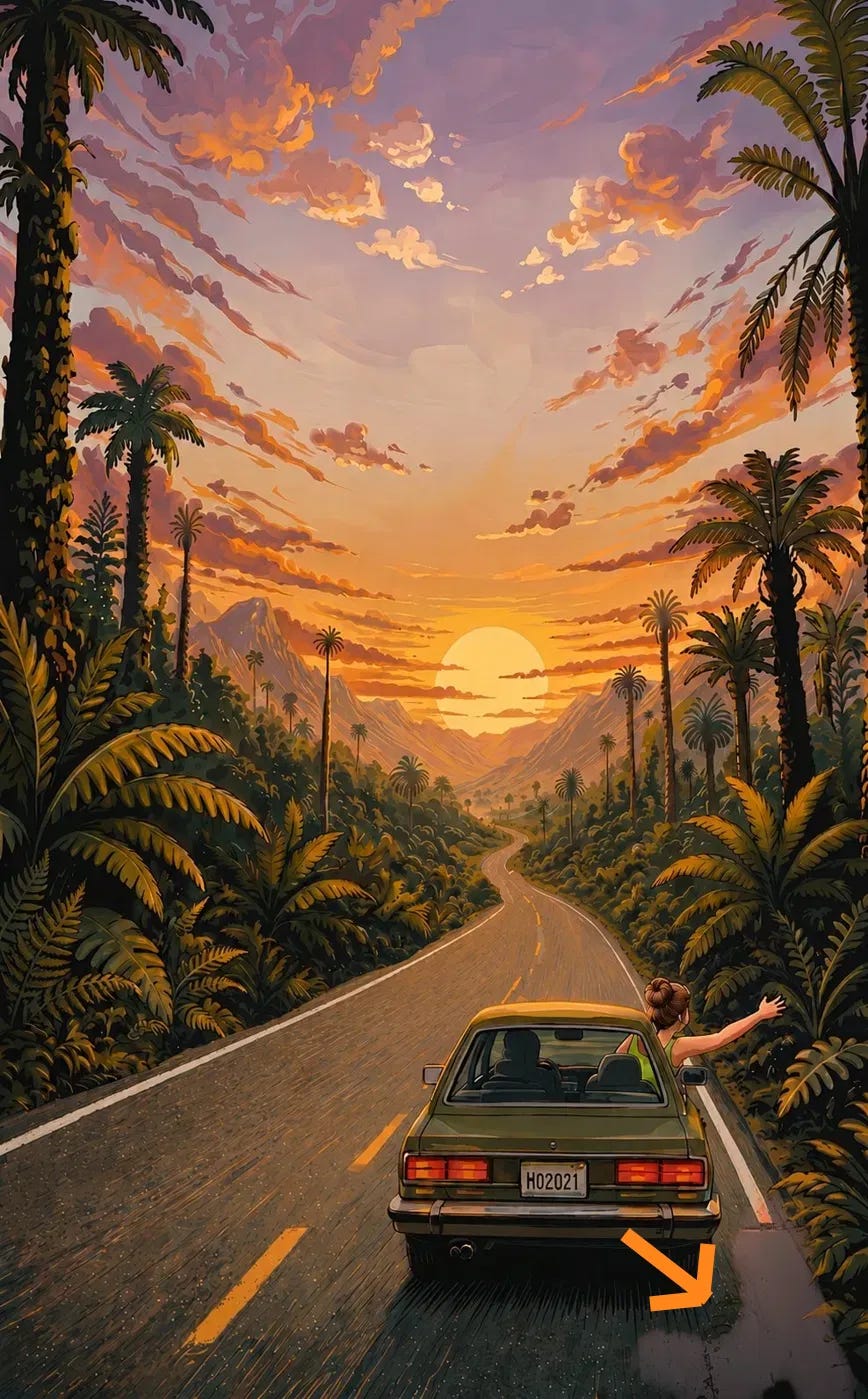
If you take one artist’s style and try to copy it into another artist’s painting then the results aren’t going to be great. This is exactly what happened when inpainting with a different model. You cannot patch one model's output with a different model.
If you need consistency, you have to generate and edit in the same model, start to finish. No exceptions.
Starting from Scratch
Two months in, I made the hard decision to start over. If consistency was what I needed, then I needed to use the same model all the way through. To simplify further, I left the car and passengers out of the base image entirely. Those could come in later through inpainting, once the environment was locked.
Using Claude to draft prompts and basing everything off the Yugen model, I generated hundreds of variations of a road through primordial jungle. And I reviewed them on contact sheets rather than one at a time. About a third were usable, which is roughly the normal hit rate for this kind of batch generation. Keep buying lottery tickets until you win.
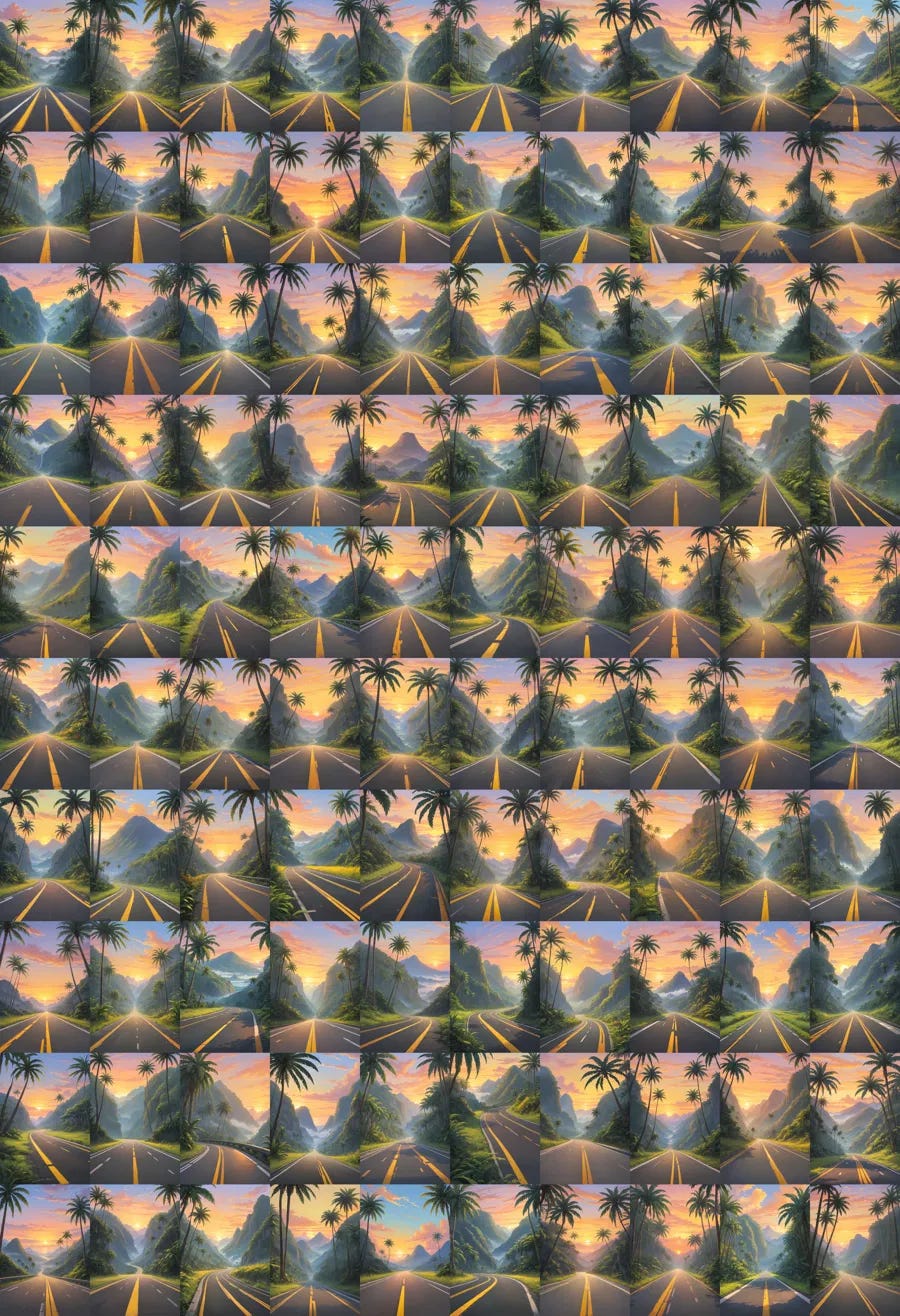
Ultimately the culling had one survivor:
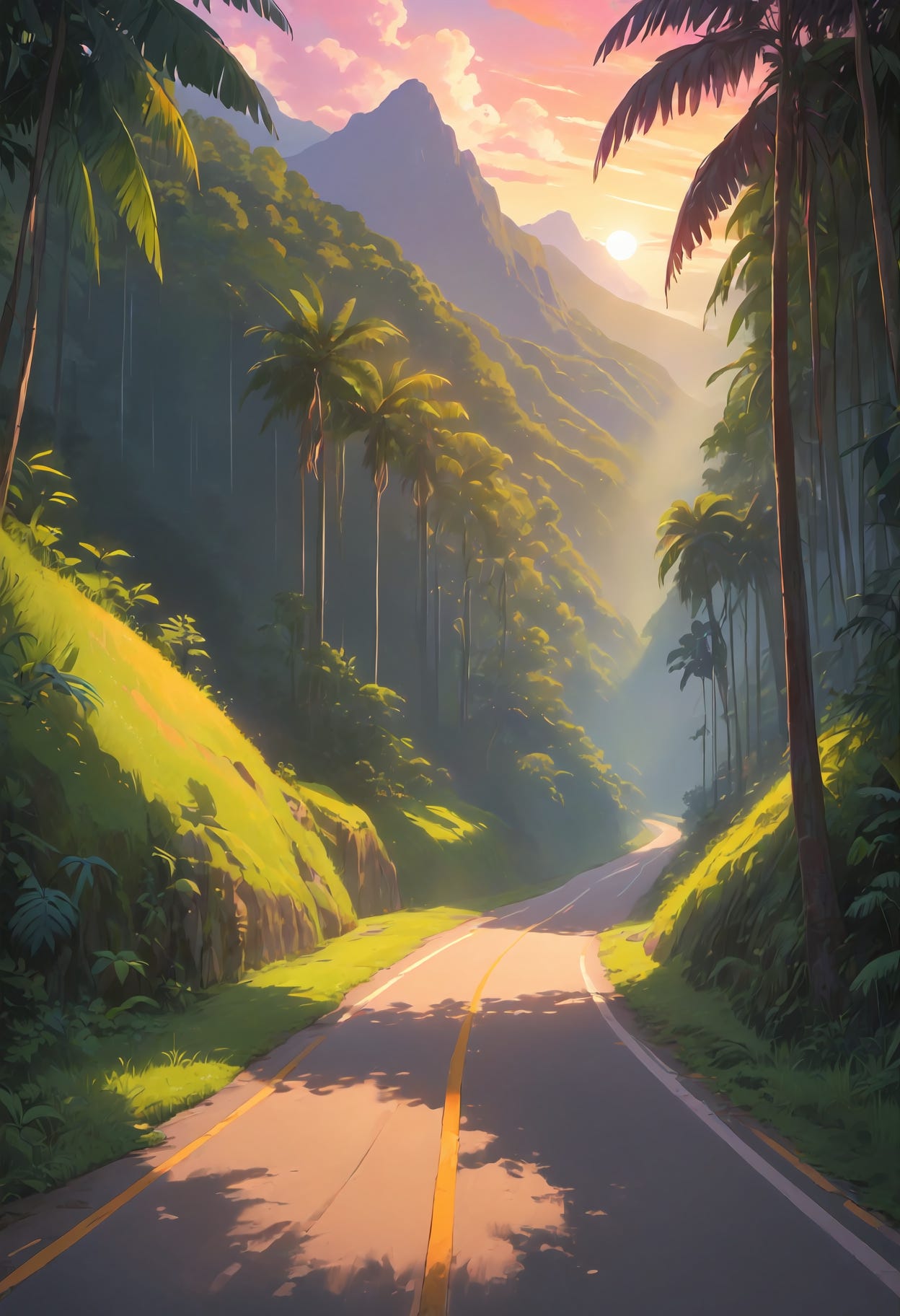
I took it to the inpainting tab, where I was quickly humbled:
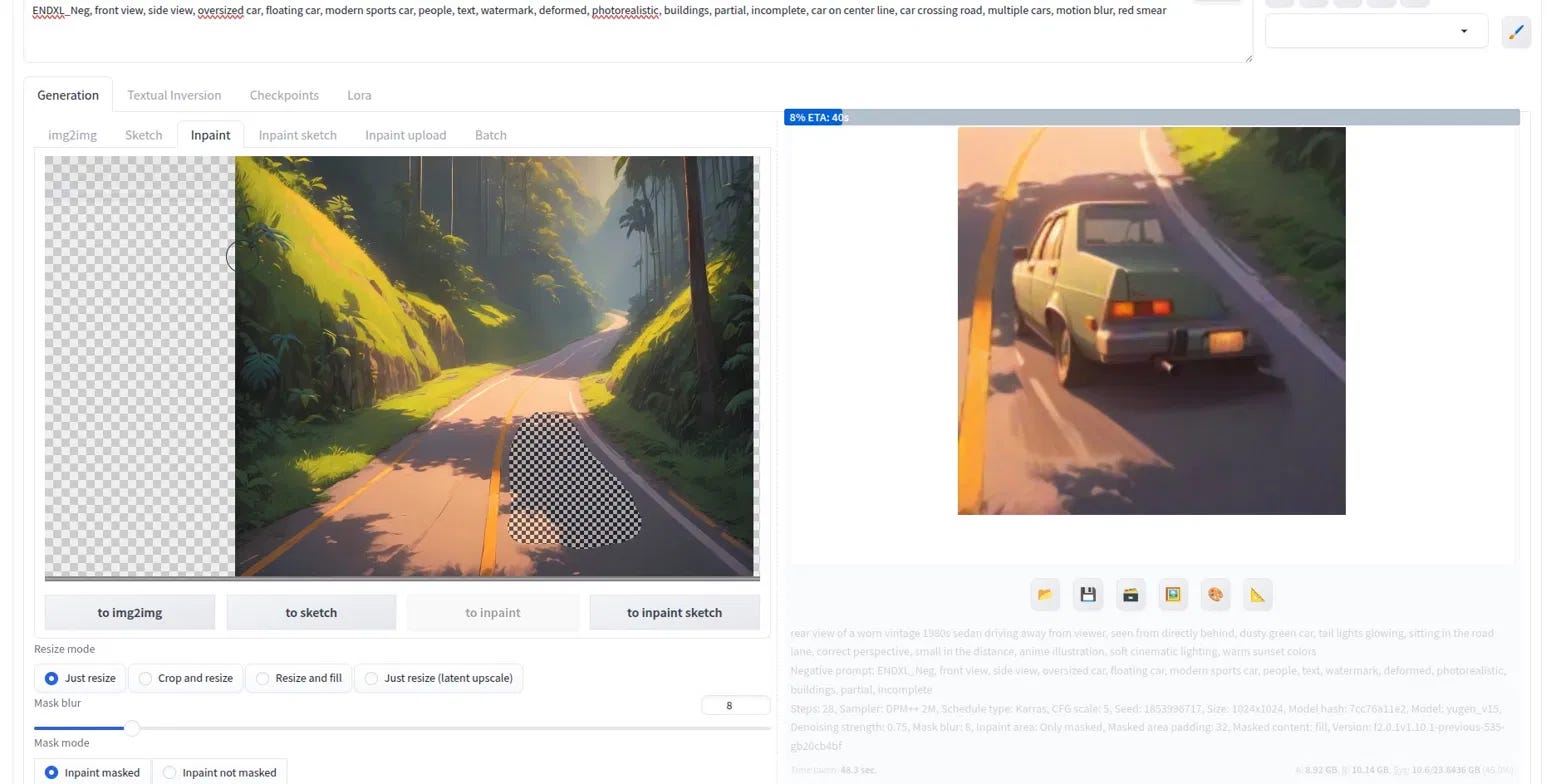
I learned, slower than I'd like, that inpainting has unspoken rules. The mask needs to match the actual shape of the thing you're placing. A car isn't a blob. It's a low, wide, bottom-heavy trapezoid and it can't touch the road's edge, the lane line, or the frame edge, or the model will crop, rotate, or smear whatever you're trying to place.
I spent several hours fighting with the mask, tweaking the prompt (both positive and negative), and trying to get the geometry to cooperate.
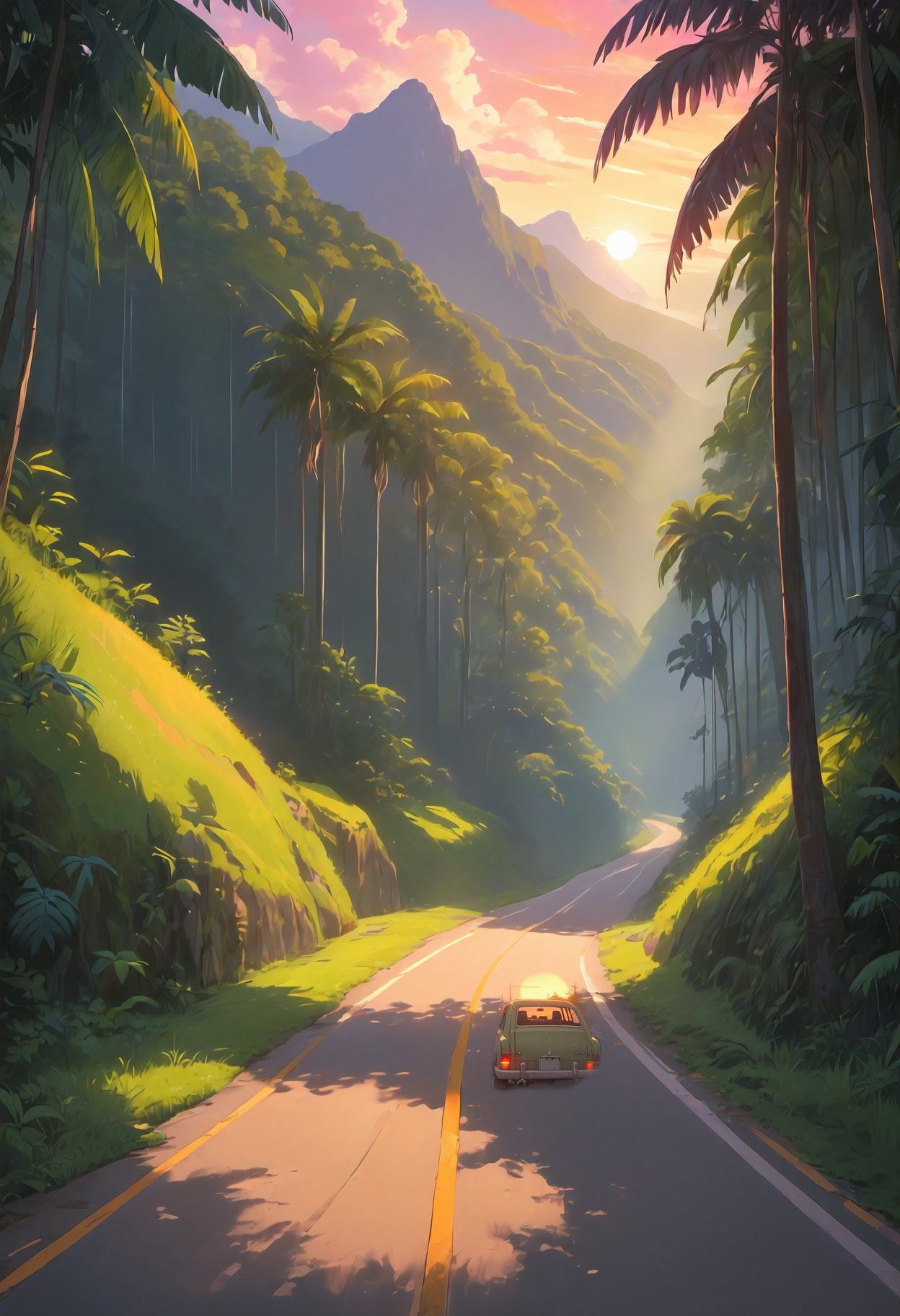
I almost gave up. I was three months in. I'd started over half a dozen times, fought a local setup, a GPU shortage, and a maintained-vs-forked container problem, and I still didn't have a working process. I was beyond frustrated. Every solution uncovered an entirely novel issue that would send me back to the beginning.
I was ready to conclude I just wasn't built for visual work, and that meant self-publishing wasn’t for me.
Claude-Assisted Inpainting
A few days after my last inpainting session I had one more idea. I went back to the latest ChatGPT 80% image (the one with the prolific palm trees and wandering lane dividers). Instead of trying to bound the problem areas with my own imprecise mouse-dragging, I had Claude look at the image, list every remaining defect, and generate the mask itself.
The mask Claude produced was a tighter, more accurate match to the actual shape of each problem area than anything I'd drawn by hand. Paired with a specific prompt, the fix rate jumped immediately.
Here is a sample mask and prompt that fixed the palm trees on the sides of the road:


Using the provided mask, reduce the number of palm trees in the masked regions.
Thin them out so only a few scattered palms remain as occasional accents,
and fill the rest with low jungle foliage, ferns, and bushes
matching the surrounding greenery. The palms should be sparse seasoning in the foliage,
not a dense crowd. Render it as a soft golden sunrise with warm bright light.
Keep the same hand-painted anime illustration style, the same mountains, the same road,
and the same sun. Do not change anything outside the masked areas.
One thing from the original inpainting attempt still applied, though: each full-frame regeneration re-renders the entire image, not just the masked region, and small shifts compound. The picture was drifting slightly darker with every pass, and the hair on the blonde passenger (Aly) wandered out of position after several rounds. Naming "sunrise, bright light" explicitly in later prompts pushed back on the drift, but the real fix was discipline. Once a detail was right, I stopped generating and left it alone.
Two months of dead ends was solved in an hour. At the end of the session the only things left were structural, which even my limited skills could handle.
Enter Photopea
I had never heard of Photopea before Claude’s recommendation, but it is a lifesaver. It’s a free Photoshop alternative that can do most of its basic operations (resizing, annotating, cloning etc.) within your browser. It even saves and imports PSD files.
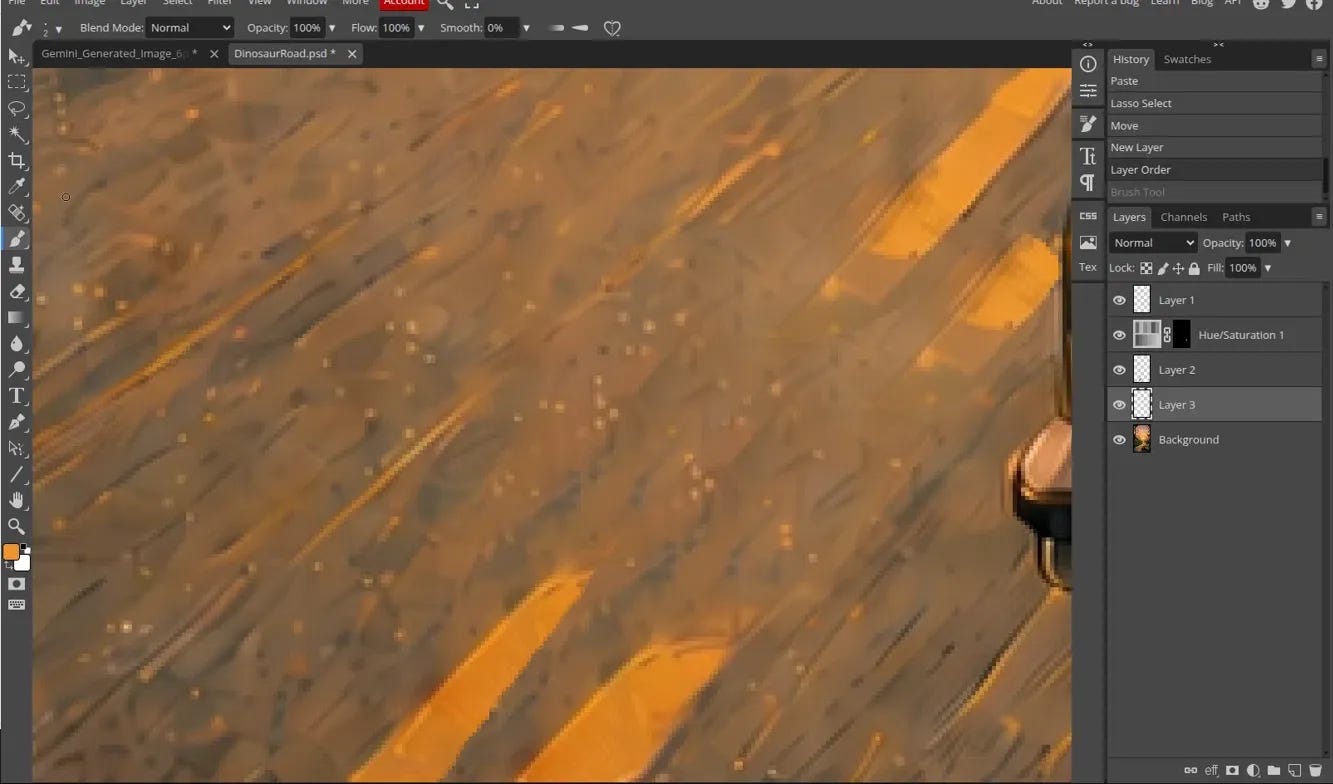
There were several structural fixes that inpainting could not solve (ie the lines on the road not matching up). Luckily these were things that I, as a human (even an artistically-challenged one), could handle.
I blew up the resolution to pixel-visible detail and went to work cloning the lines on the road so the geometry read as straight:
And, finally, I added the title and author
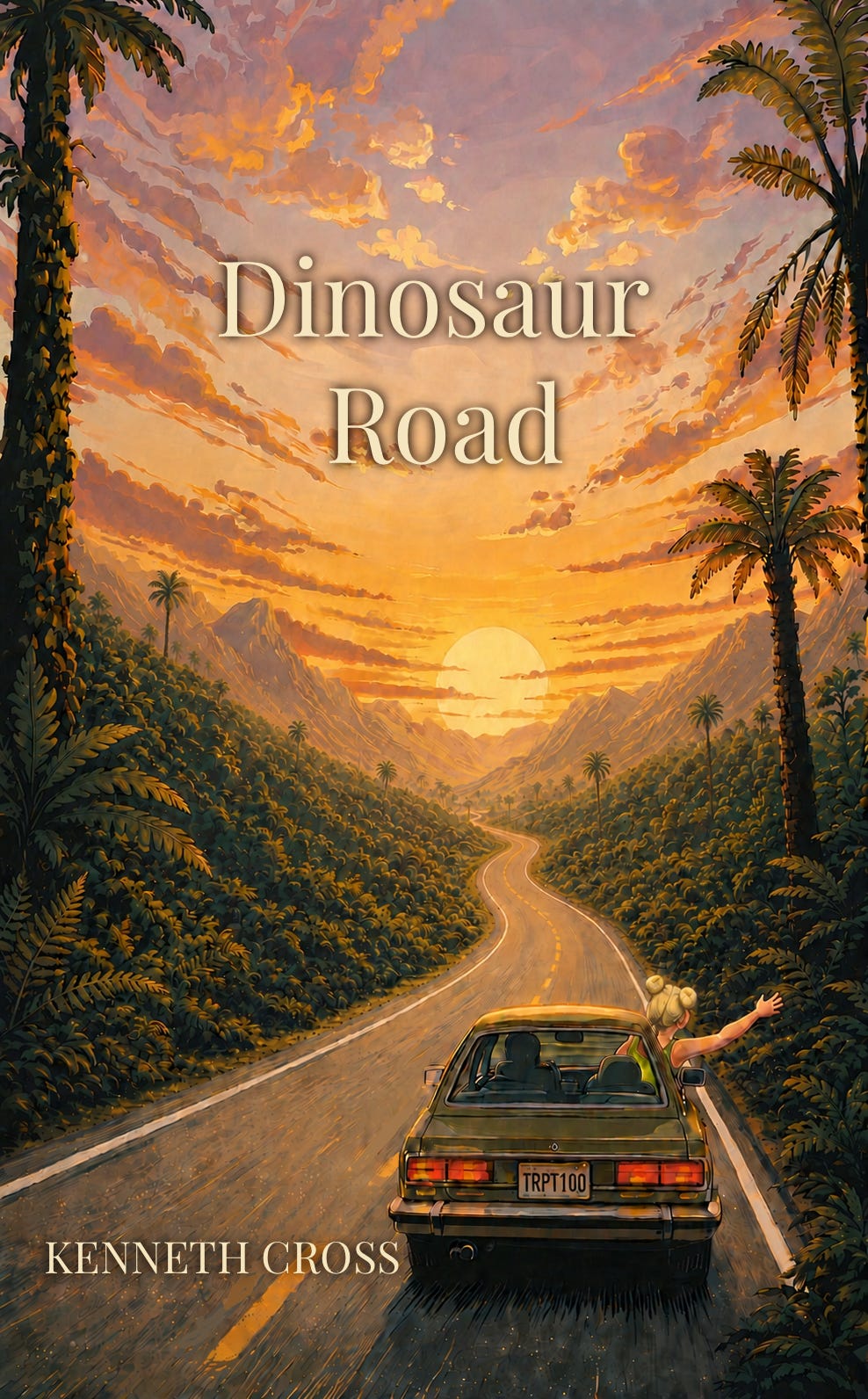
Seeing this all come together after so many false starts honestly made me a little emotional.
Lessons
I will keep writing, and these are a few lessons that will carry to the next cover, in the order I wish I’d known them:
Use only one model
The style must be consistent, and a patch from a different model doesn’t blend into the original. The seam is permanent and unfixable, so don’t discover this two months in like I did.
The prompt is powerful
A word change can solve what an hour of masking can’t. Swapping “road” for “highway” alone fixed a lane-width problem I’d been trying to force through inpainting.
There's talent in creating the inpainting mask
Objects aren’t blobs. A car is a trapezoid. Touching the frame edge or a lane line gets your subject cropped, rotated, or smeared. Having another model generate the mask can save you even more time and effort.
Once something’s right, stop generating
Full-frame regeneration touches the whole image every time, and small errors compound. Protect what’s already working; make further small tweaks in a destructive editor instead.
How good is good enough?
I don’t expect a self-published cover to look agency-made. But a visible seam, a mangled hand, or a warped face don’t just come off as “amateur.” They come off as “didn’t check” or “didn’t care", and that’s a worse label to carry.
AI did NOT make this project easy. But AI did make it possible.
Three months ago I thought my artistic ineptitude was a wall I couldn't climb. It turns out I just needed a workflow that let me keep learning.
This entire saga was for the cover of my first published story, Dinosaur Road.
It's about a young woman who picks up a stranger claiming to know where real, living dinosaurs are. Six hours, three states, one claw machine, and one punch thrown later, she finds out what the girl meant.
It's free on Kindle through August 11, so if the article made you curious, here's the link:
https://a.co/d/02JOnwl5